If customers can’t find your business when they search for your services, the problem may not be your reputation or pricing. Your Google Business Profile may simply be sending incomplete, inconsistent, or weak signals.
Your profile is often the first thing people see in Google Search and Google Maps. It can influence whether they call, visit your website, request directions, or choose a competitor. For local businesses, contractors, restaurants, hospitality companies, and home-service providers, improving this profile is one of the clearest ways to strengthen local visibility.
Google says local results are mainly influenced by relevance, distance, and prominence. You can’t control how far a searcher is from your business. You can improve how clearly Google understands what you offer and how much trust your business has earned.
What Actually Influences Google Business Profile Visibility?
Before changing individual fields, understand the three main factors behind local visibility:
- Relevance: How closely your business matches what someone is searching for.
- Distance: How close your business is to the searcher or the location included in the search.
- Prominence: How well-known and trusted your business appears to be.
A complete profile supports relevance. Accurate information supports trust. Reviews, links, mentions, and customer activity contribute to prominence.
There isn’t a shortcut that guarantees a top position. Google specifically states that businesses can’t pay for better local rankings. Your goal should be to make your profile accurate, useful, credible, and aligned with the rest of your online presence.
1. Complete and Correct the Core Information
Start with the information customers use to decide whether to contact you.
Review these fields carefully:
- Business name: Use your real-world business name. Don’t add services, cities, phone numbers, or marketing claims to the name.
- Primary category: Choose the most specific category that accurately describes what your business is.
- Additional categories: Add only categories that represent genuine parts of your business.
- Address or service area: Use your actual location or the areas you truly serve.
- Phone number: Use a number that connects directly to your business.
- Website: Link to the page that best represents your business.
- Hours: Include regular hours, holiday hours, and appointment information where appropriate.
- Business description: Explain what you do, who you serve, and what makes your business relevant.
Google’s guidelines for representing your business warn against keyword-stuffed names, duplicate profiles, inaccurate addresses, and categories used only as keywords.
For example, a Los Angeles electrician shouldn’t create separate profiles for every neighborhood it serves. A contractor should also avoid listing a virtual office that customers can’t visit. These shortcuts can create trust problems or trigger verification issues.

2. Use Categories and Services Strategically
Your primary category helps Google understand what your business is. Your services provide more detail.
A landscaping company, for example, may list services such as:
- Landscape design
- Commercial landscaping
- Irrigation installation
- Tree trimming
- Outdoor lighting
- Landscape maintenance
A restaurant may list its dining style, cuisine, menu options, takeout services, or private event offerings. A contractor may list specific specialties such as tenant improvements, electrical work, roofing, or remodeling.
Keep the information accurate. Don’t add services you don’t offer simply because they have search volume.
Your services should also match the language used on your website. If your profile says you provide commercial landscaping but your website only discusses residential lawn care, Google and customers receive mixed signals.
This is where your broader local search strategy matters. Your profile should work alongside clear service pages, strong calls to action, and useful website content. Freeform’s Local SEO services support the visibility work behind Google Business Profile optimization, while Digital Marketing & Lead Generation can support the wider system when conversion tracking, landing pages, and broader campaign strategy are also part of the goal.
3. Build a Consistent Review Process
Reviews help potential customers assess your business before they contact you. They also contribute to the prominence and credibility of your profile.
A strong review process includes three actions:
-
Ask real customers for honest feedback.
Request reviews after a completed project, successful appointment, meal, stay, or service experience. Don’t offer incentives or pressure customers to use specific language. -
Make the process easy.
Send a direct review link by email or text, or provide clear instructions on an invoice or follow-up message. -
Respond consistently.
Thank customers for positive feedback and address negative reviews calmly. If a complaint requires private details, invite the reviewer to continue the conversation directly.
Don’t focus only on the total number of reviews. A steady stream of genuine feedback is more useful than collecting reviews once and then becoming inactive.
Reviews should also reflect the experience you want to be known for. If you’re a home-service company, feedback about communication, punctuality, workmanship, and follow-through may matter more than generic praise.
4. Add Photos That Explain What You Do
Photos help customers understand your business before they click through to your website.
Use a practical mix of images:
- Exterior signage and storefront photos
- Staff members at work
- Completed projects
- Products or menu items
- Service vehicles or equipment
- Interior spaces
- Event, hospitality, or community settings
- Before-and-after examples where appropriate
A contractor should show completed work, not only stock images of tools. A restaurant should show real food and the dining environment. A hotel or hospitality business should show guest-facing spaces accurately.
Use clear, well-lit images. Avoid excessive text overlays, generic stock photography, and images that no longer represent the business.
Update photos when your services, location, team, menu, or facilities change. Fresh content gives customers a more accurate reason to contact you.
5. Publish Useful Profile Updates
Google Business Profile updates can help you communicate timely information directly in Search and Maps.
Use updates to highlight:
- Seasonal services
- New offerings
- Events
- Community involvement
- Recent projects
- Important schedule changes
- Helpful customer information
Each update should have one clear purpose. Include a strong image and, when appropriate, a relevant call to action.
Don’t treat posts as a replacement for your website or local SEO strategy. Their value is often in helping customers make a decision after they find your profile. A post about a seasonal HVAC inspection, a new restaurant menu, or an upcoming community event can support action at the right moment.
Keep the information current. Remove or replace updates that are no longer useful.

6. Connect Your Profile to Local Landing Pages
Your Google Business Profile and website should reinforce each other.
Create or improve pages that clearly explain:
- The services you provide
- The locations or service areas you cover
- The types of customers you serve
- What the process looks like
- Why customers should contact you
- How to request a quote, reservation, consultation, or appointment
If you serve Southern California, be specific about your actual coverage area. Don’t create dozens of thin pages for cities where you have no meaningful presence. A useful service-area page should include relevant examples, project details, FAQs, and a clear next step.
Make sure your business name, phone number, address, and hours are consistent across your profile and website. Inconsistencies can reduce confidence for both customers and search systems.
7. Measure Actions, Not Just Visibility
A profile can receive impressions without generating meaningful business. Track what happens after people find you.
Google’s Business Profile performance guidance includes metrics such as:
- Profile views
- Website clicks
- Phone calls
- Direction requests
- Messages
- Bookings, when available
Review these metrics monthly. Look for patterns rather than reacting to one short-term change.
For example:
- More views but fewer calls may indicate weak messaging or poor lead quality.
- More website clicks but few inquiries may point to a conversion problem on your website.
- Strong direction requests may matter more than website traffic for a restaurant or retail location.
- More calls from a service area may show that your profile is reaching the right customers.
Connect Google Analytics, call tracking, form tracking, or your CRM where appropriate. This helps you distinguish visibility from actual opportunity.

A Practical Google Business Profile Checklist
Review this checklist at least once each quarter:
- Verify that your profile is claimed and eligible.
- Confirm your business name follows Google’s guidelines.
- Check your primary category and remove irrelevant categories.
- Update hours, holiday hours, phone numbers, and service areas.
- Complete your services, products, attributes, and description.
- Add recent photos that reflect your actual business.
- Request honest reviews from recent customers.
- Respond to every review professionally.
- Publish useful updates when you have something relevant to share.
- Align your website content with your profile information.
- Track calls, clicks, directions, messages, and qualified inquiries.
- Investigate sudden performance changes instead of making random edits.
Conclusion
Improving Google Business Profile visibility in 2026 isn’t about finding one hidden ranking trick. It’s about making your business easier to understand, easier to trust, and easier to contact.
Start with the foundation: accurate information, the right category, complete services, current photos, and consistent reviews. Then connect the profile to useful local landing pages and measure the actions that contribute to revenue.
The work is ongoing, but the benefit is cumulative. A well-managed profile supports visibility, credibility, lead quality, and customer decisions across Google Search and Maps.
If your profile attracts views but not qualified inquiries, contact Freeform PR & Branding to review the larger system behind your local visibility.
SEO and Publishing Details
Primary keyword:
Improve Google Business Profile visibility
Supporting keywords:
- Google Business Profile optimization
- Google Maps visibility
- Local SEO for small businesses
- Google Business Profile ranking factors
- How to get found on Google Maps
- Local search visibility
- Google Business Profile reviews
- Local SEO for contractors
- Google Business Profile for restaurants
- Service-area business marketing
SEO title:
How to Improve Google Business Profile Visibility in 2026
Meta description:
Learn how to improve Google Business Profile visibility in 2026 with practical guidance on categories, services, reviews, photos, updates, local pages, and performance tracking.
Internal-link recommendations:
- Local SEO: use as the primary internal destination from sections about Google Business Profile optimization, local landing pages, Google Maps visibility, and local search strategy.
- Digital Marketing & Lead Generation: use only where broader strategy, conversion tracking, landing pages, or lead-generation support fits naturally.
- Contact Freeform PR & Branding: use as the closing call to action for businesses that need help reviewing local visibility and lead quality.
Credible external sources:
- Google: Tips to improve your local ranking
- Google: Guidelines for representing your business
- Google: Manage customer reviews
- Google: Manage photos and videos
- Google: Business Profile performance and insights
Featured image concept:
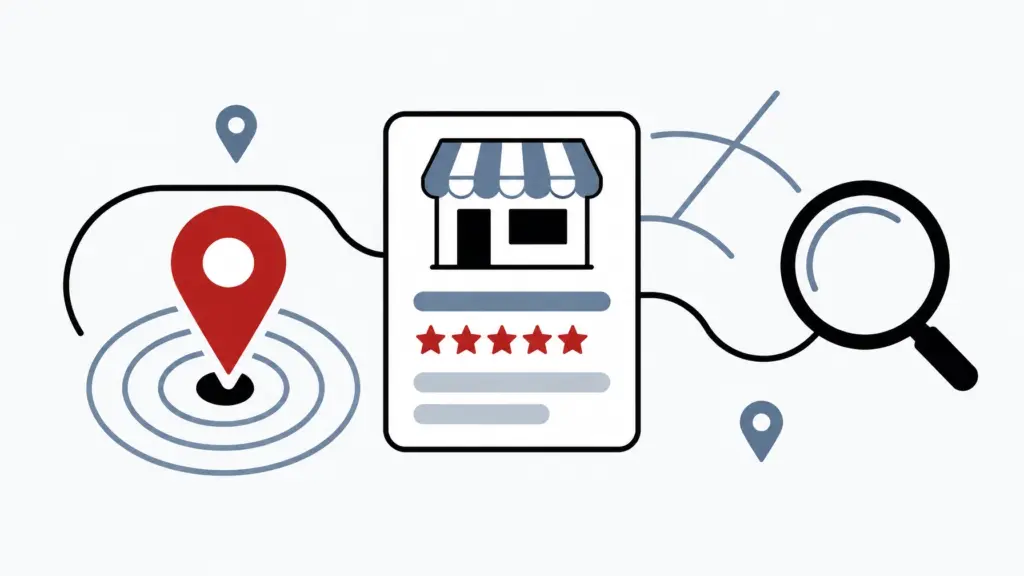
A flat geometric illustration showing a business profile card, map pin, review symbol, and search magnifier. Use Freeform’s black-and-white visual language with soft gray-blue structure and a restrained red accent.
Featured image alt text:
Abstract illustration of a Google Business Profile, map pin, review symbol, and search magnifier representing local search visibility.
Supporting image alt text:
- Minimalist illustration of a complete Google Business Profile with service details, business hours, and location information.
- Abstract Google Business Profile illustration showing reviews, photos, services, and regular updates.
- Minimalist analytics dashboard showing local search actions including calls, website clicks, and direction requests.