If you’re pursuing general contractors, commercial clients, public-sector opportunities, or strategic partnerships, a capability statement can help decision-makers understand your business quickly.
But a capability statement isn’t a company brochure. It shouldn’t list everything you’ve ever done. Its purpose is to show a specific buyer what you do, who you’ve helped, why you’re qualified, and how to contact you.
A strong capability statement supports business development before a formal proposal begins. It can help you get considered for a bid list, start a conversation with a procurement team, or give a potential partner a reason to follow up.
Let’s look at what belongs in a capability statement and how to make the document useful.
What Is a Capability Statement?
A capability statement is a concise business-development document that summarizes your company’s services, experience, differentiators, certifications, and contact information.
It’s commonly used by:
- Contractors pursuing general contractor relationships
- Industrial service firms seeking vendor opportunities
- Architecture and engineering firms introducing their expertise
- Small businesses responding to public-sector outreach
- Vendors meeting procurement teams or supplier-diversity groups
- Service businesses preparing for commercial partnerships
For government contracting, the document may include details such as your Unique Entity Identifier (UEI), CAGE code, NAICS codes, business size, and applicable certifications. The U.S. Small Business Administration explains that businesses pursuing federal contracts need appropriate registration, identifiers, and industry classifications.
For commercial outreach, the format can be more flexible. The goal remains the same: make it easy for a potential buyer to understand your fit.
Start With the Buyer’s Need
The most common capability statement mistake is starting with the company instead of the opportunity.
Before writing, identify:
- Who will read the document
- What service or project they may need
- What experience they value
- What terms they use to describe the work
- What action you want them to take next
A statement prepared for a general contractor should emphasize different capabilities than one prepared for a city agency, commercial developer, or engineering partner.
Tailor the document. Create a strong general version, but adjust the core competencies, project examples, and terminology for each important audience.
What Belongs in a Capability Statement?
A practical capability statement usually fits on one page. It should be easy to scan on a laptop, phone, or printed handout.
1. Company Name and Clear Positioning
Start with your company name, logo, and the words Capability Statement. Add a short positioning line that explains what you provide and who you serve.
For example:
Commercial electrical services for industrial facilities, infrastructure projects, and complex construction environments.
This is stronger than:
A trusted leader committed to excellence.
The first example tells the reader what the company does. The second makes a claim without providing useful information.
State your focus clearly. A buyer should understand your primary service within a few seconds.
2. Company Overview
Use two or three sentences to explain your business.
Include:
- Your primary services
- The markets or clients you serve
- Your geographic coverage
- Your business structure or years in operation, when relevant
- The type of opportunities you’re pursuing
Avoid writing a full company history. The reader doesn’t need your origin story yet. They need enough context to determine whether a conversation makes sense.
3. Core Competencies
Core competencies are the services or capabilities your company performs best. Keep this section focused. Three to six strong bullets are usually more effective than a long list.
Use specific, buyer-oriented language such as:
- Commercial electrical installation and maintenance
- Site preparation and civil construction
- Structural engineering and design coordination
- Landscape construction and property maintenance
- Environmental compliance and field services
- Project management and technical documentation
Match your language to the opportunity. If the buyer uses terms such as “preventive maintenance,” “design-build,” or “site logistics,” use those terms when they accurately describe your work.

4. Differentiators
Your differentiators answer one question:
Why should this buyer consider your company instead of another qualified provider?
Useful differentiators may include:
- Specialized licenses or technical expertise
- Experience in a difficult or regulated environment
- Geographic coverage
- Bonding capacity
- Specialized equipment or facilities
- Fast response times
- A documented quality-control process
- A strong safety record
- A niche service that larger competitors don’t provide
- A measurable performance result
Avoid empty claims such as “high quality,” “customer-focused,” or “committed to excellence” unless you support them with evidence.
Prove the difference. “Licensed for work across three states” is more useful than “highly experienced.”
5. Relevant Experience and Past Performance
Past performance is often the most important section. Buyers want to know whether you’ve completed work similar to what they’re considering.
Include two or three relevant examples. Each example can include:
- Client or project name, when permitted
- Type of client or industry
- Scope of work
- Location or project type
- Period of performance
- Relevant result or outcome
For example:
Industrial electrical upgrade: Supported electrical installation and project coordination for a multi-phase industrial facility improvement. Managed work across active operating areas while maintaining project schedules and safety requirements.
Use measurable results whenever possible. Project size, completion time, service volume, cost savings, reduced downtime, or safety performance can make an example more credible.
If you don’t have government experience, use relevant commercial or subcontracting work. Similar scope and complexity still demonstrate capability.
6. Certifications, Registrations, and Codes
Include certifications and registrations that matter to the specific buyer.
Depending on your market, this may include:
- UEI and CAGE code
- Primary and secondary NAICS codes
- State or local business certifications
- MBE, WBE, DBE, or other applicable statuses
- SBA certifications
- Professional licenses
- Safety or quality certifications
- Contract vehicles
- Authorized vendor or manufacturer status
Only list certifications that are current and relevant. Confirm every identifier before distributing the document.
For federal opportunities, review your registration and business profile through SAM.gov and verify applicable industry classifications through the U.S. Census Bureau’s NAICS resources.
7. Contact Information
Make the next step obvious.
Include:
- A named point of contact
- Title
- Direct phone number
- Professional email address
- Website
- Business address, when relevant
- LinkedIn or other professional profile, if useful
A generic inbox such as “info@company.com” can create unnecessary friction. Use a specific contact whenever possible.
Give the reader a clear path forward. If you want a meeting, say so in the follow-up email, not by filling the capability statement with aggressive sales language.
Make the Layout Easy to Scan
A capability statement is a visual document. Content matters, but poor design can prevent the reader from finding it.
Use:
- Clear section headings
- Short bullets
- Strong contrast
- Consistent typography
- Adequate white space
- A restrained color palette
- A logical reading order
- Searchable text rather than a flat image
Place the most important information near the top and center of the page. A buyer should quickly see your company focus, core competencies, relevant experience, and contact information.
Content & Creative Production can support the design of capability statements, project sheets, presentations, and other business-development materials.
One-Page Capability Statement Checklist
Before sending your document, confirm that it includes:
- Company name and logo
- The words “Capability Statement”
- A clear company overview
- Three to six core competencies
- Specific differentiators
- Two or three relevant project examples
- Results or proof where available
- Current certifications and licenses
- UEI, CAGE, and NAICS codes, if applicable
- Business size or socioeconomic status, if relevant
- Named point of contact
- Direct phone number and email
- Website and business location
- Clean layout with readable text
- No spelling, grammar, or outdated-information errors
- A file name that identifies your company clearly
Keep a master document with your current information, then create tailored versions for specific buyers and opportunities.

How to Use a Capability Statement
A capability statement is most useful when it supports a broader outreach process.
You can use it to:
- Introduce your company to a general contractor
- Request consideration for a vendor or bid list
- Support outreach before a formal solicitation
- Prepare for trade shows and networking events
- Follow up after a meeting or Lunch and Learn
- Respond to a sources-sought notice or request for information
- Share your qualifications with a commercial client
- Support a teaming or subcontracting conversation
- Give sales and business-development teams a consistent leave-behind
Don’t simply attach the document to every email without context. Explain why you’re reaching out, identify the relevant service, and request an appropriate next step.
For example:
We support industrial electrical projects and are interested in learning more about your upcoming vendor and subcontractor needs. I’ve attached a brief capability statement with relevant project experience. Would you be open to a short introductory call?
That approach connects the document to a specific business-development purpose.
Freeform’s Business Development Support includes target-account research, contractor and vendor outreach, capability statements, project sheets, proposal support, and follow-up systems.
Common Capability Statement Mistakes
Avoid these problems:
Trying to Include Everything
A capability statement isn’t a full service catalog. Remove services that don’t support the opportunity you’re pursuing.
Using Generic Marketing Language
Words such as “innovative,” “exceptional,” and “best-in-class” don’t establish credibility on their own. Replace them with evidence.
Listing Experience Without Outcomes
A project title tells the reader what you did. A result helps explain why it matters.
Using an Outdated Version
Old contact details, expired certifications, or past services can damage trust. Review the document regularly.
Making the Design Too Crowded
A page packed with text, logos, and graphics is difficult to use. Remove anything that doesn’t help the buyer make a decision.
Sending the Same Statement to Everyone
A general document is a starting point. Tailoring it shows that you understand the buyer’s needs and improves the relevance of your outreach.
Final Takeaway
A capability statement should make your business easier to understand, remember, and contact. It won’t replace strong relationships, relevant experience, or a disciplined follow-up process. It supports them.
Focus on the buyer’s need. Present a small number of clear capabilities. Back up your claims with relevant work. Keep your identifiers and contact information current. Then use the document consistently across outreach, bid visibility, trade shows, and follow-up.
When your capability statement is clear, your business has a better chance of being recognized before the opportunity is formally awarded.
SEO and Editorial Package
Primary keyword: what to include in a capability statement
Supporting keywords:
- Capability statement template
- Capability statement for small business
- Contractor capability statement
- Capability statement examples
- Core competencies in a capability statement
- Capability statement for government contracting
- Business development materials for contractors
- What belongs in a capability statement
SEO title: What to Include in a Capability Statement: A Practical Guide
Meta description: Learn what to include in a capability statement, from core competencies and past performance to certifications, differentiators, contact information, and design.
Category concept: Business Development
Internal-link recommendations:
- Link “Business Development Support” to https://www.freeformprbranding.com/business-development-support/
- Link “Content & Creative Production” to https://www.freeformprbranding.com/content-and-creative-production/
- Link “Brand Positioning & Messaging” to https://www.freeformprbranding.com/brand-positioning-and-messaging/
- Link “Contact Freeform” to https://www.freeformprbranding.com/contact-us/, if a closing call to action is added
Credible external sources:
- U.S. Small Business Administration: Get Started With Contracting
- SAM.gov
- U.S. Census Bureau: North American Industry Classification System
- Alaska APEX Accelerator: Creating Capability Statements
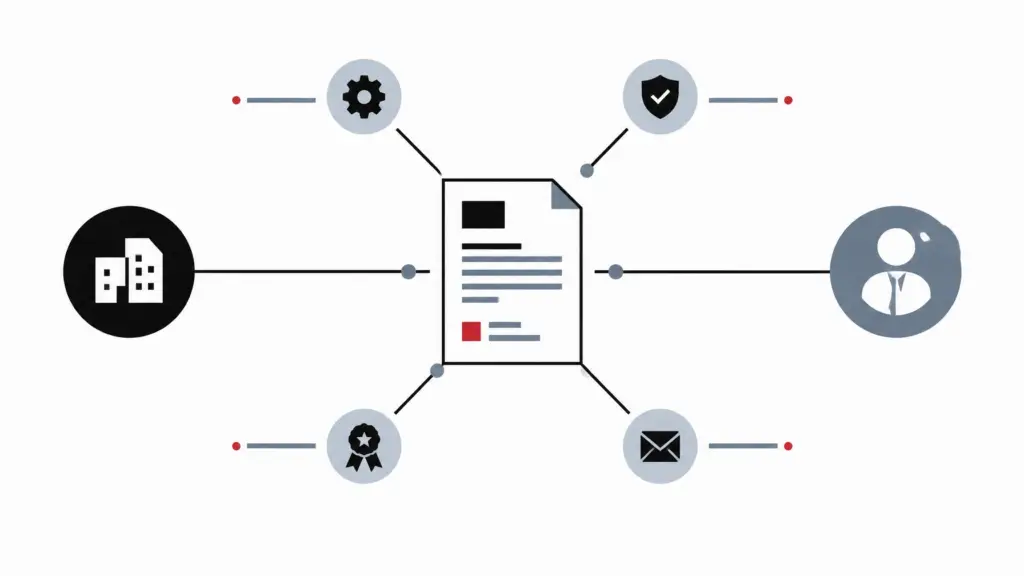
Featured image concept: A minimalist geometric illustration of a one-page capability statement connecting a small business to abstract decision-maker nodes representing capabilities, proof, certifications, and contact information. Use black and white as the dominant palette with soft gray-blue structure and a restrained red accent.
Featured image alt text: Abstract one-page capability statement connecting business capabilities, proof, certifications, and contact information.
Supporting visual recommendations:
-
Suggested filename:
capability-statement-structure-small-business.webp
Alt text: Minimalist illustration showing the main sections of a one-page capability statement. -
Suggested filename:
capability-statement-checklist-business-development.webp
Alt text: Geometric checklist representing proof, certifications, experience, contact information, and next steps. -
Suggested filename:
capability-statement-outreach-follow-up.webp
Alt text: Abstract business-development workflow showing a capability statement moving through outreach, conversation, and follow-up.